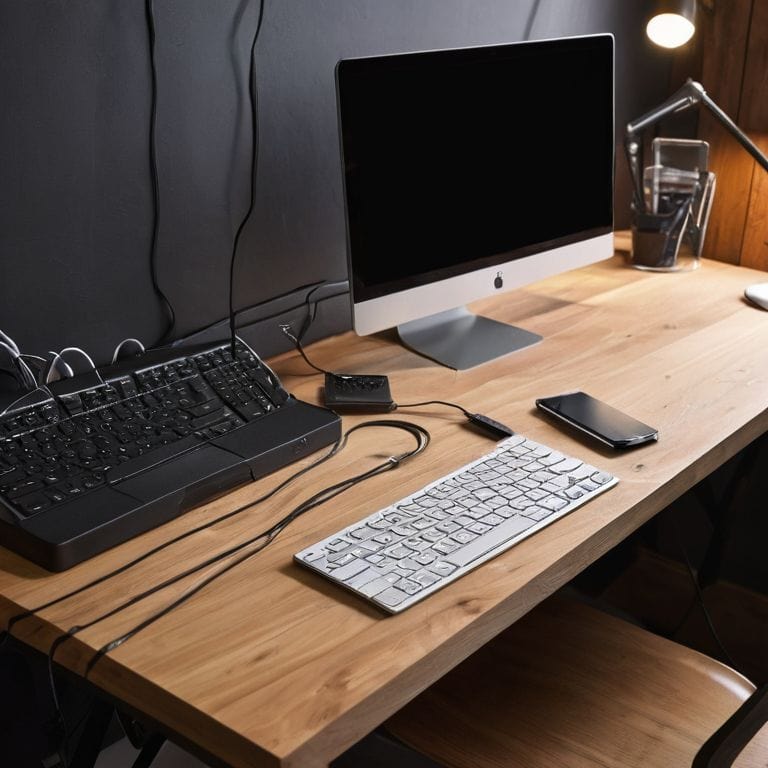
I still remember the day I realized that a cluttered desk was not just an eyesore, but also a productivity killer. I was trying to meet a tight deadline, but my cable management nightmare was getting in the way. That’s when I decided to create a guide to cable management for your desk that would help me, and others like me, take control of their workspace. As someone who’s spent years building custom PCs and experimenting with home automation, I knew that a well-organized desk was not just a matter of aesthetics, but also a key to efficiency.
In this article, I’ll share my step-by-step approach to taming the cable chaos and creating a peaceful workspace. You’ll learn how to identify the most common cable management mistakes, and how to avoid them. I’ll also provide you with practical tips on how to choose the right cable management tools, and how to implement a system that works for you. By the end of this guide, you’ll have a clear understanding of how to create a cable-free desk sanctuary that boosts your productivity and reduces stress. So, let’s get started on this journey to a more organized, and more efficient, you!
Table of Contents
Guide Overview: What You'll Need
Total Time: 1 hour 30 minutes
Estimated Cost: $10 – $30
Difficulty Level: Easy
Tools Required
- Cable ties (assorted sizes)
- Wire stripper (for stripping insulation)
- Scissors (for cutting cable ties)
- Tape measure (for measuring cable lengths)
- Level (for ensuring proper cable routing)
Supplies & Materials
- Cable organizers (e.g., cable boxes, zip ties)
- Adhesive-backed hooks (for mounting cables to desk or wall)
- Cable clips (for managing cables along edges)
- 6 inches of hook and loop tape (for securing cables to surfaces)
- 2-in x 4-in lumber (for creating custom cable management solutions)
Step-by-Step Instructions
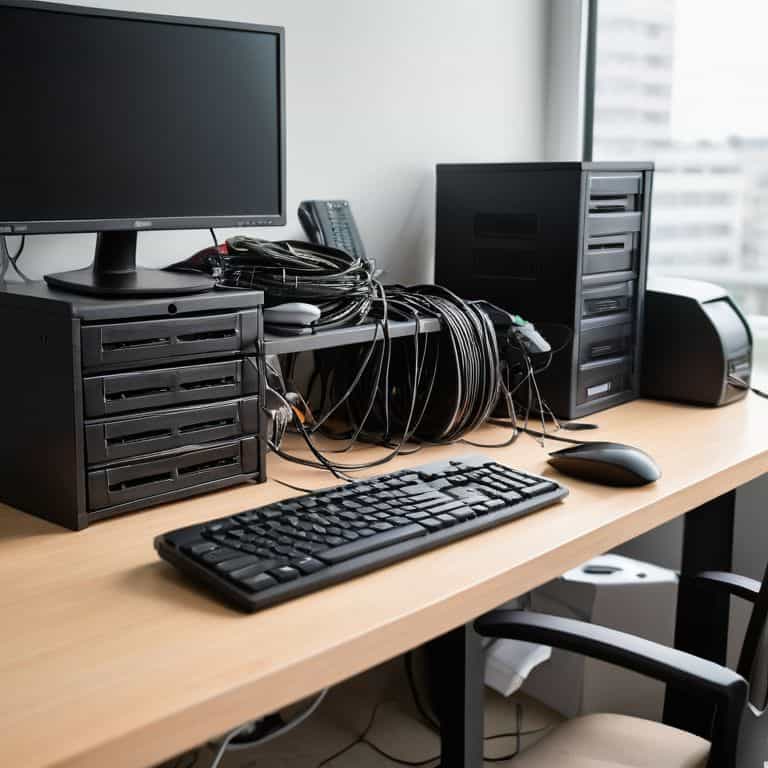
- 1. First, let’s start by assessing the cable chaos on your desk. Take a good look at the cables, wires, and cords that are currently tangled up. Identify the different types of cables, such as power cords, USB cables, and Ethernet cables. This will help you determine the best approach to organizing them. Make a mental note of the cables that are frequently used and those that are not, as this will help you decide where to prioritize your cable management efforts.
- 2. Next, gather the necessary cable management tools, such as cable ties, zip ties, or cable organizers. You can find these at most electronics stores or online. Don’t be afraid to get creative with your cable management solutions – you can use everyday items like paper clips or binder clips to help keep your cables in check. Having the right tools on hand will make the process much easier and less frustrating.
- 3. Now it’s time to purge any unnecessary cables. Take a closer look at the cables on your desk and get rid of any that are broken, outdated, or no longer needed. This will help declutter your workspace and make it easier to manage the remaining cables. Be ruthless – if you don’t need it, get rid of it. This will also help you avoid the temptation to just shove all the cables into a corner and forget about them.
- 4. The next step is to label your cables. This may seem like a tedious task, but trust me, it’s worth it. Use a label maker or some stickers to identify what each cable is for. This will save you a lot of time and frustration in the long run, especially when you need to troubleshoot or replace a cable. Use clear and concise labels that make sense to you, such as “Monitor” or “Keyboard”.
- 5. Now it’s time to start organizing your cables. Start by grouping similar cables together, such as all the USB cables or all the power cords. Use your cable management tools to keep them tidy and secure. You can use cable ties to keep them bundled together, or use cable organizers to keep them separated and easy to access. Remember to keep it simple and don’t overcomplicate things – the goal is to make your workspace more efficient, not more confusing.
- 6. As you’re organizing your cables, be sure to route them efficiently. Avoid crossing cables over each other or having them stretch across your desk. Instead, try to keep them neat and tidy, with each cable following a logical path from the device to the outlet or hub. This will help reduce tangles and knots, making it easier to manage your cables in the long run.
- 7. Finally, take a step back and admire your handiwork. You’ve successfully tamed the cable beast and created a more organized, efficient workspace. Take a moment to appreciate the sense of accomplishment that comes with knowing you’ve taken control of your technology. And remember, cable management is an ongoing process – be sure to regularly maintain your cables to keep your workspace running smoothly.
Taming Desk Chaos

As we dive deeper into desk organization ideas, it’s essential to consider the overall aesthetic you want to achieve. A clutter-free workspace not only improves focus but also boosts productivity. To maintain this serene environment, I recommend exploring hidden cable solutions that keep your desk looking tidy. By investing in a few clever cable management tools, you can effortlessly route cables behind your desk or under floorboards, creating a seamless and organized workspace.
When it comes to ergonomic workspace setup, a well-designed cable management system can make all the difference. By incorporating wireless charging stations and custom cable management systems, you can create a comfortable and efficient working area. This not only reduces eye strain but also minimizes the risk of tripping hazards. As someone who’s passionate about building custom PCs, I can attest that a well-organized workspace is just as important as a well-optimized machine.
To take your desk organization to the next level, consider implementing custom cable management systems that cater to your specific needs. This could include labeling cables, using color-coded zip ties, or even 3D printing custom cable organizers. By taking the time to invest in these small details, you can create a workspace that’s not only functional but also visually appealing. Remember, the key to a productive workspace is finding a balance between form and function, and with the right cable management tools, you can achieve just that.
Cable Management Tools for a Cleaner Space
To really tackle that cable chaos, you’re going to need the right tools for the job. I swear by cable ties, zip ties, and adhesive-backed cable organizers. These little gems can help you keep cords and cables neatly bundled together, preventing them from getting tangled or lost under your desk. Plus, they’re super easy to use – just wrap, stick, or tie, and you’re good to go!
I also recommend investing in a cable management box or tray. These can help hide unsightly cords and keep your desk surface clear. Trust me, it’s a game-changer. With the right tools and a bit of patience, you can transform your workspace into a clean and organized oasis. Have you tried using a cord concealer or a desk grommet to manage your cables? These can be total lifesavers when it comes to keeping your workspace tidy.
Desk Organization Ideas for Sanity
Now that we’ve tackled the cable chaos, let’s talk about some desk organization ideas to keep your workspace sane. I’m a big believer in creating a “home” for each item on your desk, so everything has its own designated spot. This could be a tray for your pens, a holder for your phone, or a small box for your paper clips. By giving each item a home, you’ll be amazed at how much more organized your desk will feel.
I also like to implement a “touch once” rule, where I try to deal with a piece of paper or task as soon as I touch it. This helps prevent clutter from building up and keeps my desk clear. Give these ideas a try and see how they work for you – remember, it’s all about finding a system that works for your unique workflow and style.
5 Essential Tips to Keep Your Desk Cables in Check

- Label Your Cables: Use color-coded labels to identify which cable goes where, making it easier to manage and troubleshoot your setup
- Invest in a Cable Management System: Look for a system that includes cable ties, clips, and a cord organizer to keep your desk tidy and clutter-free
- Route Cables Strategically: Plan the route of your cables to minimize visible cords and reduce tangled messes, considering the layout of your desk and devices
- Utilize Vertical Space: Make the most of your desk’s vertical space by using cable organizers or zip ties to secure cables to the edge of your desk or monitor
- Schedule Regular Cable Maintenance: Set aside time each month to review your cable management system, making adjustments as needed to ensure your desk remains organized and clutter-free
Key Takeaways for a Cable-Free Desk Sanctuary
By implementing a simple cable management system, you can significantly reduce desk clutter and improve your overall productivity
Combining desk organization ideas, such as a designated workspace and minimal decor, with cable management tools like cable ties and cord organizers, can create a cleaner and more peaceful work environment
Remember, taming desk chaos is an ongoing process – schedule regular tidy-ups and stay committed to your cable management strategy to maintain a sense of calm and focus at your workspace
A Cable-Free Sanctuary
A well-managed desk is not just a reflection of a clear mind, but a catalyst for it – by taming the chaos of cables, we untangle the chaos within.
Leo Maxwell
Wrapping Up: A Cable-Free Sanctuary
As we’ve journeyed through this guide to cable management for your desk, we’ve covered the essential steps to transform your workspace from a cable chaos to a serene, organized environment. We started with the basics of cable identification and worked our way through cable organization techniques, including the use of cable ties, clips, and management boxes. We also explored desk organization ideas that can help maintain your newly achieved sanity, and looked at various cable management tools that can make the process easier and more efficient. By following these steps and tips, you’ve taken a significant leap towards a more productive and peaceful work experience.
Now that you’ve tamed the beast of cable chaos, remember that maintenance is key. It’s not just about achieving a cable-free desk sanctuary, but also about sustaining it. As you continue to work in your newly organized space, take pride in your accomplishment and don’t hesitate to adapt these strategies to other areas of your life. With a clear desk and a clear mind, you’re ready to tackle any project that comes your way, and that’s a truly empowering feeling.
Frequently Asked Questions
What are some common mistakes to avoid when implementing a cable management system for my desk?
When setting up your cable management system, beware of oversimplifying your setup or using inadequate cable ties – and please, don’t forget to label those cables. I’ve seen many a system fall apart due to poor planning. Have you tried turning it off and on again, by the way? Let’s break it down step by step to avoid common pitfalls.
How can I effectively label and organize my cables to make them easily identifiable?
Let’s tackle that labeling chaos. I swear by using color-coded cable ties and labels. For example, use red for power cords and blue for data cables. You can also use a label maker to add a brief description, like “Monitor HDMI” or “Keyboard USB”. Trust me, it’s a game-changer for keeping your cables organized and easily identifiable.
Are there any specific cable management tools or products that you would recommend for a small home office setup?
For a small home office, I swear by cable ties, cord organizers, and a good old-fashioned cable management box. My favorite is the CableOrganizer.com box – it’s a game-changer for keeping cords tidy. I also recommend label makers for identifying cables and keeping everything ship-shape. Trust me, these tools will make a huge difference in keeping your workspace organized and clutter-free!